Retrospectives: The Engine of Continuous Improvement

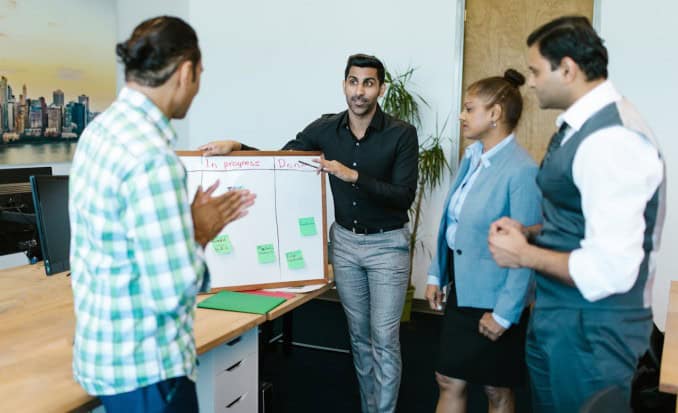
Team having a Retrospective standup in front of a Kanban board

In traditional Waterfall project management methods like PRINCE2, the “Lessons Learned” session has been the formal mechanism for capturing insights. These are usually held at stage boundaries or project closure — often too late to benefit the current project. Agile flips this model on its head. Instead of waiting until the end, teams run retrospectives at the end of every sprint. This rhythm transforms reflection from a one-off report into a continuous improvement engine.

So why do retrospectives deliver real change, when Lessons Learned often become shelfware?

Retrospectives vs. Lessons Learned

  • Timing

Retrospectives: Held frequently — usually every sprint (two to four weeks). Insights can be applied immediately.
Lessons Learned: Typically come at the end of a project stage or only at project closure. By then, the learning is too late, and team members may have already moved on.

  • Focus

Retrospectives: Practical and actionable. The team agrees on one or two concrete changes to test in the next sprint.
Lessons Learned: Often descriptive — documenting what happened rather than focusing on what to change now.

  • Follow-through

Retrospectives: By design, agreed actions flow straight into the backlog, making follow-up unavoidable.
Lessons Learned: Too often captured in a report that is archived, skimmed, or forgotten. Many organisations have libraries of “lessons” that were never implemented.

👉 The cautionary truth: Lessons Learned are only valuable if they drive behaviour. Retrospectives succeed because they embed action into the delivery rhythm.

Why Retrospectives Matter

  • Psychological safety: They provide a regular, structured forum where team members can raise issues without fear of blame.
  • Continuous feedback: Problems are spotted and addressed early, rather than waiting for a post-mortem.
  • Team ownership: Improvements are chosen by the team, not imposed from above, which drives buy-in and accountability.
  • Adaptability: They make teams more resilient by institutionalising reflection and adjustment — a critical trait in complex, uncertain projects.

Making Retrospectives Work

  • Keep them short and focused — 45–60 minutes is plenty for a two-week sprint.
  • Vary the format — don’t just repeat “what went well / what didn’t.” Use creative prompts such as:
    • Start / Stop / Continue (simple, clear actions).
    • Mad / Sad / Glad (focus on emotional drivers).
    • Sailboat (a visual metaphor):
      • Project = the sailboat heading for an island (the goal).
      • Wind in sails = forces propelling progress.
      • Anchors = what’s holding the team back.
      • Rocks = risks lurking beneath the surface.
      • Sun = positive factors such as morale or culture.
  • Keep it focused — aim for one or two concrete improvements, not a laundry list.
  • Review last time’s actions — close the loop so improvements stick.
  • Make it safe — create an environment where people can speak openly without blame. Facilitators should model openness, listen actively, and frame issues as team challenges, not personal failures.

Why Sponsors and Leaders Should Care

  • Fewer repeated mistakes: Problems are corrected mid-flight, not documented after the fact.
  • Quicker course correction: Sponsors see earlier signals of risks and blockers.
  • Greater predictability: Teams that continually improve reduce delays and firefighting.
  • Higher morale: A team that feels heard and empowered is more engaged and productive.

In short, retrospectives improve delivery outcomes and reduce escalation headaches for leadership.

When Retrospectives Don’t Add Value

  • Too infrequent — they lose impact if held rarely or only when things go wrong.
  • Unstructured — without a clear facilitator or format, they risk becoming a venting session.
  • No follow-up — if actions don’t translate into visible change, teams disengage quickly.

Retrospectives as Modern Lessons Learned

For organisations steeped in PRINCE2, the retrospective can be seen as an evolution of Lessons Learned: same intent (capture and apply insight), but with a faster rhythm, tighter feedback loop, and stronger emphasis on implementation.

Where Lessons Learned risk becoming static documents, retrospectives are dynamic and cumulative — each one builds on the last, creating a living culture of continuous improvement.

Takeaway

Retrospectives aren’t just a “nice to have.” They’re a discipline that ensures every sprint contributes not only to the product, but to the team itself. While traditional Lessons Learned remind us to reflect, retrospectives remind us to act.

For project managers moving between Waterfall and Agile contexts, the principle is the same: learning without implementation is wasted. Retrospectives make sure the learning sticks.
The Highlight Report: Does It Still Work?

Traditional highlight report compared with a modern project dashboard.

The Highlight Report has been a staple of project management for decades: a one-page summary of the week with a RAG view of schedule and budget, key risks and issues, and space to flag concerns for stakeholders. Simple, visual, reassuring. But in an age of live dashboards, agile ceremonies and AI copilots, is the Highlight Report still the best way to keep people informed — or an artefact past its prime?

Where a Highlight Report still earns its keep

  • Crispness. Turning a sprawling project into one page forces clarity: what moved, what slipped, what’s blocked — and why.
  • Consistency. Senior leaders value a standard format across projects. Comparable RAGs and familiar headings help them spot patterns and escalate quickly.
  • Formality. The act of writing a weekly highlight creates a pause for reflection. It nudges the team to step back from the noise and ask, “What really matters this week?”
  • Accountability. A dated record of status, decisions, risks and actions removes ambiguity about who knew what, and when.

Where it creaks

  • Lagging, not leading. By the time a report is drafted, reviewed and circulated, the picture may have moved on.
  • One-way traffic. Traditional highlights broadcast status rather than invite decisions.
  • Duplication. If delivery already lives in Jira, Azure Boards, Trello and a portfolio dashboard, a separate highlight can feel like a second job that adds little.
  • RAG theatre. Red/amber/green can oversimplify, hiding risk until too late.

Highlight Report vs Dashboards, Agile ceremonies and AI

  • Dashboards. Always-on visibility straight from delivery tools sounds ideal — but raw dashboards often overwhelm. They still need interpretation.
  • Agile ceremonies. Sprint reviews and demos show real progress — but they don’t replace a portable executive summary. They still need synthesis.
  • AI copilots. Drafts from tasks, commits and threads help — but still need judgement.
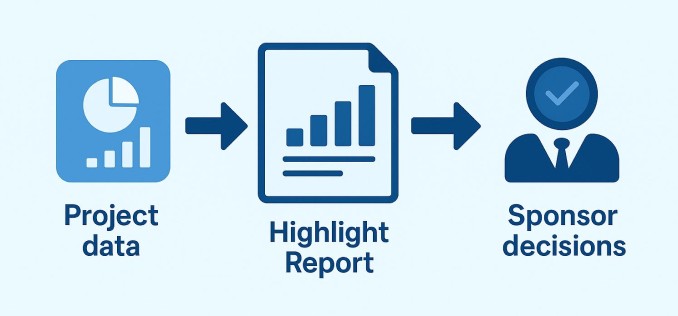
How a highlight report distils project data into clear sponsor decisions.
Turning project data into decisions

The middle ground that works today

  • Make it decisional. Shift from weekly history to an executive decision log.
  • Embed live data. Link to dashboards; keep report text light and interpretive.
  • Keep it to one screen. Use links for detail.
  • Standard headings, human voice. A consistent structure with a natural tone.
  • Timebox the work. Cap prep at ~30 minutes.

A modern Highlight Report template (steal this)

  • This week at a glance — two sentences max.
  • Decisions & asks — bullets with owners and dates.
  • What changed — scope, dates, spend; only the deltas.
  • Risks & mitigations — top three; clear trigger, impact, owner.
  • Next week’s focus — what we’ll actually do.
  • Links — dashboard, backlog, RAID log, latest demo.
  • Optional sponsor note — interpretation from PM.

When a Highlight Report is the wrong tool

  • Ultra-fast work: daily shifts make weekly highlights laggy.
  • Single stakeholder, high touch: a report may be redundant.
  • Strong portfolio reporting: consider a monthly narrative instead.

When it earns its keep (again)

  • Cross-organisation programmes.
  • High-stakes delivery.
  • Distributed stakeholders.

Practical pitfalls (and fixes)

  • Everything is ‘in progress’ → Focus on outcomes.
  • RAG drift → Define criteria and explain changes.
  • Copy-paste fatigue → Automate inputs, spend human time on interpretation.
  • No follow-through → Track last week’s decisions/actions.

So… does it still work?

  • Yes — if you treat it as a concise decision brief, not a weekly diary.
  • The modern Highlight Report is one screen, linked to live data, and explicit about what you need from leadership.
  • If your stakeholders value it, keep it and sharpen it.
  • If they already swim in dashboards, your highlight may simply be the commentary.

The Rise of the Copilot Project Manager

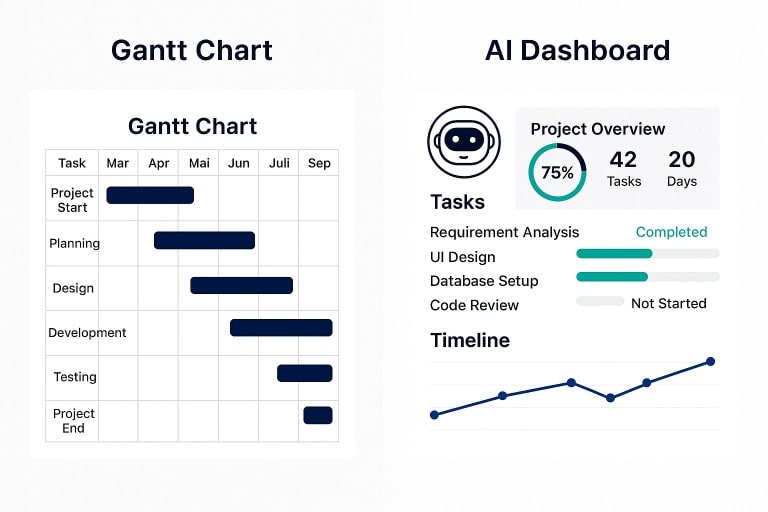
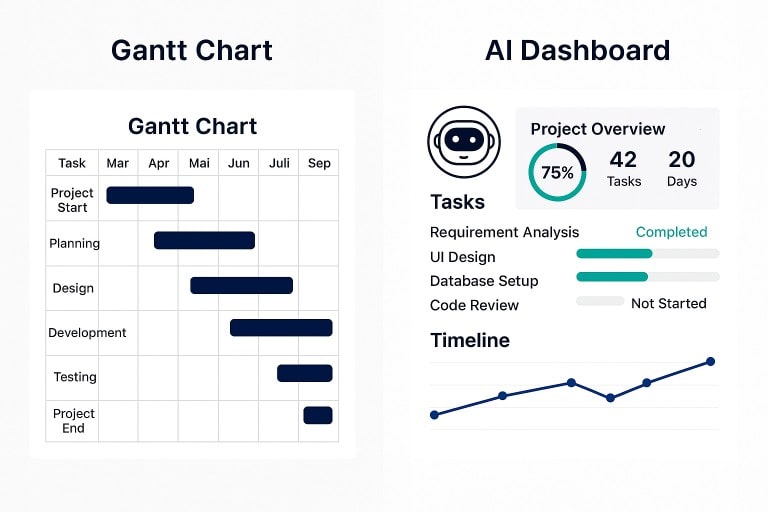
Traditional Gantt chart vs Project Dashboard

Project management has always absorbed the tools of its time — from Gantt’s hand-drawn bars to digital boards and dashboards. The latest arrival is the AI copilot: a context-aware assistant that promises to draft plans, identify risks, and prepare stakeholder updates. It won’t “run the project” for you, but it might change how you spend your time.

What an AI copilot actually is (and isn’t)

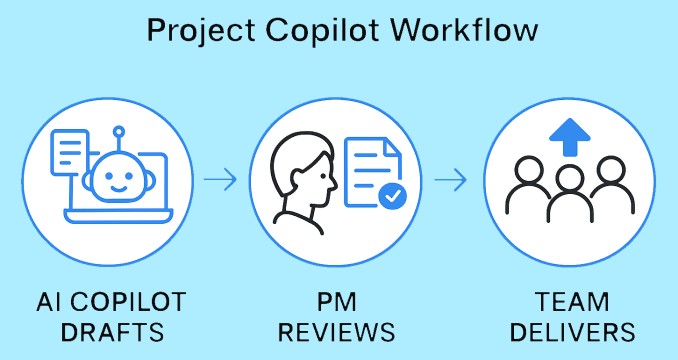
An AI copilot is embedded assistance inside your existing tools. It can summarise long threads, turn rough notes into actions, suggest task sequences, and produce reasonable first drafts of reports.

What it can’t do is take responsibility for trade-offs — scope vs time vs quality, political judgement, or the subtle negotiation that unblocks a programme. Think of it as a force-multiplier, not an autopilot.

Simple AI Copilot workflow
Where it already helps
  • First drafts, faster. Plans, RAID logs, highlight reports — get a credible starting point, then edit for accuracy and tone.
  • Signal from noise. Summarise issue comments, extract decisions, pull out blockers across workstreams.
  • Status with evidence. “What changed this week?” Copilots can pull tasks, commits and discussions into an exec-ready update.
  • Risk clues. Spotting patterns (review queues, long lead-times, hand-off bottlenecks) earlier than a human scanning a dozen boards.
  • Quick “what-ifs”. Try a scenario before touching the live plan: move a test window, resequence a dependency, sanity-check a date.
Where humans stay firmly in charge
  • Prioritisation and compromise. Copilots can outline options; only people weigh the trade-offs.
  • Stakeholder alignment. Timing, tone and trust are human skills.
  • Ethics and boundaries. Knowing what not to feed an assistant matters as much as what you do.
How the PM role shifts
  • Less formatting; more judgement. Let the copilot compile and tidy; invest your time in anticipating risk and clearing paths.
  • Better meetings. Share a copilot summary beforehand and use the room for decisions, not recaps.
  • Sharper telemetry. If assistants can mine your tools, your job is to define which signals matter — and ignore the vanity metrics.
Waterfall and Agile: where copilots fit
  • In Waterfall, copilots can draft work breakdowns, propose dependencies, and help maintain baselines and status packs.
  • In Agile, they can turn backlog notes into user stories, summarise sprint outcomes, and draft release notes — while the team keeps ownership of priorities and delivery.

Either way, the project manager remains the editor-in-chief: checking accuracy, setting intent, and making the calls.

Good practice for a sensible roll-out
  1. Start in low-risk areas. Meeting notes and status updates are ideal.
  2. Name the “source of truth”. Decide which system the copilot should trust for tasks, scope and dates.
  3. Review like an editor. Check tone, accuracy and anything confidential or legally sensitive.
  4. Write prompts like briefs. Give context, audience, constraints, and desired length.
  5. Close the loop. If the assistant flags a risk or action, assign an owner and a date — don’t let it drift.
The limits to watch
  • Hallucination and over-confidence. A tidy paragraph isn’t the same as a true one.
  • Opaque reasoning. If you can’t explain why a schedule changed, you can’t defend it.
  • Tool sprawl. Another assistant is only helpful if it lives where your team already works.
PM tools with AI copilots
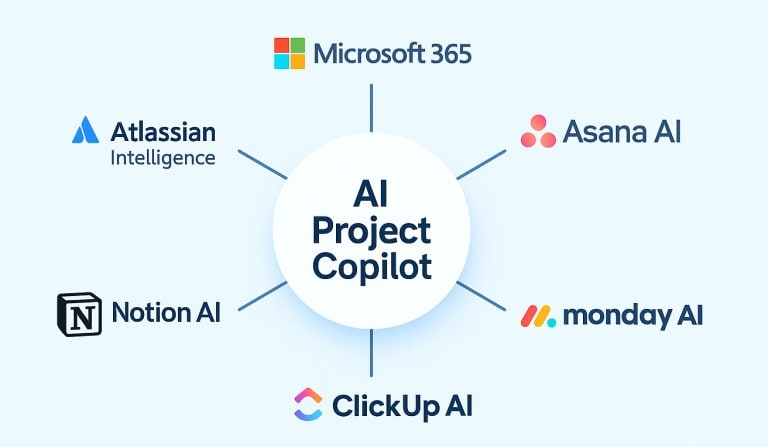
A round-up of PM tools with AI copilots
  • Microsoft 365 / Planner / Project (Copilot). Drafts plans and goals, suggests tasks and buckets, and reacts to changes within the M365 stack.
  • Atlassian Intelligence (Jira/Confluence). Drafts pages, summarises issues, and speeds triage across Atlassian cloud products.
  • Asana AI. Pre-built AI workflows, templates and automations to keep projects on track and surface insights for decisions.
  • monday AI / Sidekick. AI-first features aimed at uncovering risks and accelerating execution across portfolios.
  • ClickUp AI / Brain. Summarises docs and meetings, drafts briefs and outlines, and ties into project artefacts in one workspace.
  • Notion AI. An “AI workspace” for notes, docs and lightweight projects; helpful for meeting notes, summaries and quick drafting.

Tip: pick the assistant that lives in your team’s main toolset. Integration beats novelty every time.

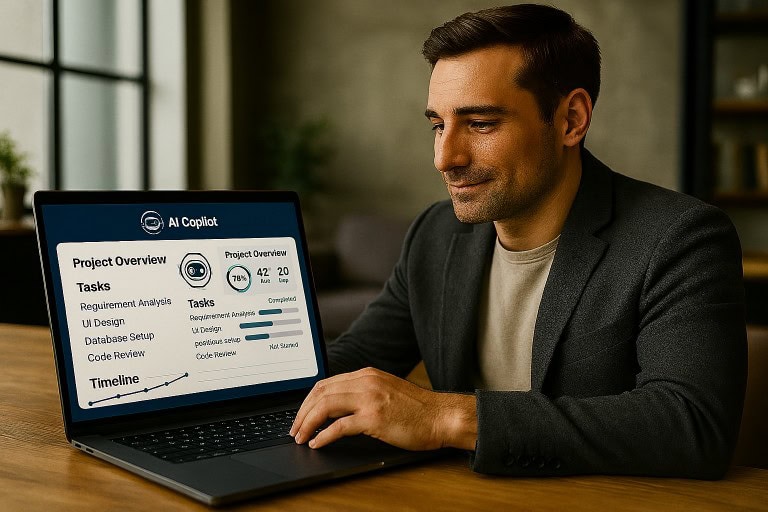
Project Manager using Microsoft M365 Copilot
Takeaway

The real value of an AI copilot is focus. It keeps the noise down and the essentials visible — the decisions, risks and dependencies that matter. With the admin handled, the project manager can spend more time leading people and less time wrestling with tools.

Brooks Law at 50: adding people makes projects later

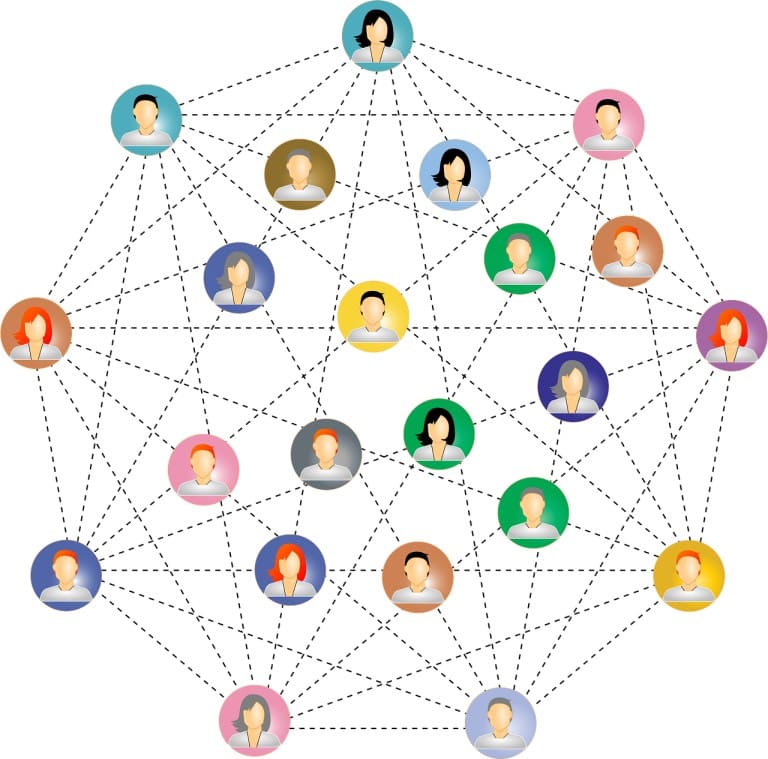
Diagram of a network team where each additional person creates more coordination links.
Connection links between members of a team.

It’s fifty years since Fred Brooks wrote his famous warning: “adding people to a late software project makes it later.” Tools have changed, but human coordination and onboarding still take time. The lesson holds.

Fred Brooks was inducted into On a Back of an Envelope’s Hall of Fame where there is a short biography and an assessment of his wider influence.

In 1975, computer scientist Fred Brooks published The Mythical Man-Month, a book based on his experiences managing IBM’s large System/360 programme. Managers often assumed that if a project was behind schedule, they could add more people and speed it up. Brooks showed why that usually fails.

New team members take time to learn the ropes. Existing staff must pause to train them. And as the team grows, everyone spends more time just keeping in touch. Productivity can dip before it rises, and deadlines slip further.

Brooks revisited the ideas in 1995 and stood by his conclusion. The technology changed; the human dynamics didn’t. Half a century from his original book, despite agile methods, cloud platforms, and AI Copilots. Brooks’ warning still describes what project managers see every day

Why it still matters today

  • More people = more conversations. Every extra person means extra meetings, messages, and coordination.
  • Onboarding takes time. Even skilled newcomers need help to understand context, tools, and norms.
  • Complex work has limits. Big, interconnected projects aren’t easy to divide cleanly.
  • Remote and global teams add friction. Time zones and handovers slow feedback loops.
  • Budget lines don’t equal progress. Headcount does not automatically translate to progress.
  • No single tool or method will ever make software development magically easy a theme he expanded on a year later in ‘No Silver Bullet’. This is also true for project management.

Make it happen

What to do instead

• Trim the scope. Deliver a smaller version that still provides value.

• Fix the bottleneck. Tackle the slowest or most blocked part first.

• Finish what’s started. Focus the team on completing current tasks before adding new ones.

• Make responsibilities clear. Define who owns which parts to avoid overlaps.

• Automate the routine. Remove repetitive checks and handoffs where you can.

• Add people carefully. Start with a small, experienced group and give them a clear area to own.

• Value mentoring. Treat training as planned work, not something squeezed in.

• Review progress honestly. Make obstacles visible so they can be fixed quickly. A project rarely misses by a year all at once. It drifts there in small steps. That’s why frequent review and decisive action matter. Spot the slip early; fix the cause now—not later.

Question: How does a large software project get to be one year late? Answer: One day at a time!

When adding people can help

• Independent, well-documented workstreams where tasks don’t collide.

• Testing, data labelling, or migration steps that can be run in parallel safely.

• Backlogs, where the real constraint is slow human review and where it can be distributed cleanly.

Takeaway

Before you add people, change the work: simplify scope, clarify ownership and remove friction. Then, if you still need more hands, add them carefully and plan for the onboarding dip.

Further reading

  • Fred P. Brooks Jr., The Mythical Man‑Month (1975; Anniversary Edition 1995).
  • Fred P. Brooks Jr., “No Silver Bullet—Essence and Accident in Software Engineering” (1986/1987).

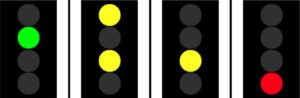
Four aspect Project status

Four aspect project status

Having read about South Western Railway’s 6+ year delay in putting into service 90 trains costing £1 Bn, UK railway projects might like to consider changing from RAG status to using a more familiar  ‘traffic light’ system used across the network.

RAAG Status

Green – indicates that the project direction is clear and you can proceed at the maximum speed allowed.

Double Yellow – indicates a preliminary caution and that you should expect a Yellow at the next status update.

Yellow – indicates that you should slow your approach and take tasks at a restricted speed and be prepared to stop at the next status update.

Red – indicates that you should stop because there is something getting in the way of progress.