Prototyping in Project Management

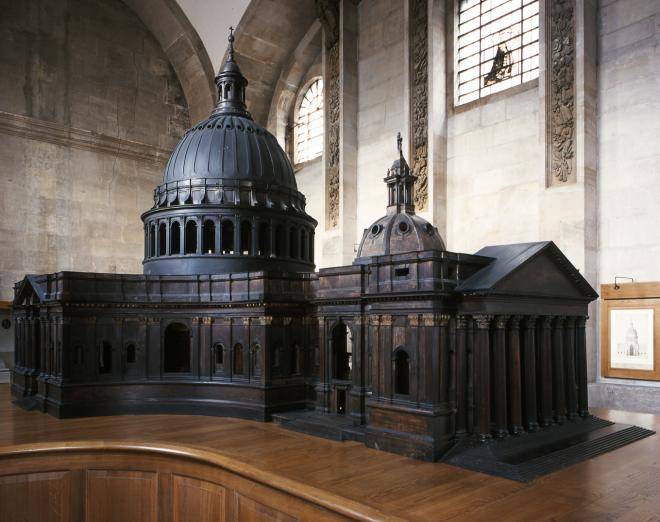
Scale model of St Paul’s Cathedral by Sir Christopher Wren showing the architectural design and proportions used before construction.
Scale model of Sir Christopher Wren’s design for St Paul’s Cathedral, built in the 1670s to visualise form and proportion before construction.

How early models help teams test ideas, reduce risk, and accelerate delivery.

In modern project management, prototyping is no longer a niche engineering activity — it’s a practical discipline used to reduce uncertainty, clarify requirements, and speed up delivery. Whether you’re developing a new app, service, or process, building something tangible early on helps bridge the gap between concept and execution. A prototype provides stakeholders with something to see, touch, and critique, transforming abstract requirements into actionable feedback.

What Is Prototyping in Project Management?

A prototype is an early, simplified version of a product or system that demonstrates key features or functions. In project management, prototypes serve as communication tools between teams and stakeholders. They can validate assumptions, expose design flaws, and encourage collaboration long before full-scale production begins. Prototyping supports iterative development by allowing feedback loops within each project phase. It’s widely used in software development, manufacturing, engineering, and service design. Depending on the project’s scope and complexity, prototypes can be physical (models or mock-ups) or digital (simulations or wireframes).

Why Prototyping Matters

Projects often fail because of unclear requirements, communication gaps, or late discovery of technical problems. Prototyping mitigates these risks by moving from theory to practice early. It encourages experimentation, supports design thinking, and makes invisible issues visible before they become expensive mistakes. A prototype helps teams answer key questions: Does the concept solve the user’s problem? Can the system be built with available technology? Are we aligned with stakeholder expectations? By testing, refining, and retesting ideas, teams can reach confidence faster and more efficiently.

Skunk Works

SOURCE: Lockheed Martin - Skunk Works Logo
SOURCE: Lockheed Martin – Skunk Works Logo

The term ‘Skunk Works’ originated at Lockheed Martin during World War II, describing small, semi-autonomous teams tasked with developing advanced prototypes under extreme time pressure. The concept has since become shorthand for focused innovation: minimal bureaucracy, empowered teams, rapid iteration, and secrecy. Many modern innovation labs and Agile ‘tiger teams’ borrow from this approach — combining freedom with accountability to produce breakthrough results.

Choosing the Right Prototyping Approach

Selecting a prototyping model depends on what the team needs to learn or prove. If requirements are ambiguous, a throwaway prototype is best for discovery. When uncertainty lies in technology or performance, functional prototyping offers insight. Evolutionary and incremental models suit longer-term development or when a prototype will become the final product.

Types of Prototyping Models

Different types of prototyping serve different purposes. Choosing the right approach depends on the level of requirement clarity, the project’s complexity, and how much of the prototype will be reused in the final product.

Throwaway (Rapid) Prototyping

Used when requirements are unclear or evolving. The goal is to create a quick, low-cost model to explore ideas, test user reactions, and clarify needs — then discard it. This approach is common in UX design and early software concept validation. The focus is on learning, not building a production-ready artefact.

Evolutionary Prototyping

Here, the prototype evolves into the final product. Instead of discarding early versions, teams refine and expand them iteratively. This is often used in Agile environments or innovation projects where learning continues throughout the lifecycle. Each iteration builds functionality, guided by continuous stakeholder feedback.

Incremental Prototyping

In large or complex systems, it’s impractical to build everything at once. Incremental prototyping divides the system into modules that are developed, tested, and integrated progressively. It enables parallel workstreams and early demonstration of partial capabilities, reducing integration risk later.

Functional Prototyping

Functional prototypes are built to test performance, durability, or feasibility — often in engineering or hardware projects. Unlike visual mock-ups, they demonstrate real-world behaviour. They are essential when technical validation is the primary goal.

Scale or Physical Modelling

Used when the physical form, layout, or aesthetic impression of a design must be assessed before full production. Common in architecture and industrial design, scale models help stakeholders visualise spatial relationships and design intent. Christopher Wren’s wooden model of St Paul’s Cathedral remains an early and famous example of architectural prototyping.

The Spiral Model Connection

The Spiral Model formalises this iterative, risk-based approach by combining elements of prototyping with structured risk management. Each spiral cycle involves planning, prototyping, evaluation, and refinement. It’s particularly useful for large, complex, or high-risk projects where learning must be continuous and risk reduction is central. In modern practice, prototypes within the Spiral Model often take the form of experiments — structured tests designed to validate assumptions or reduce key uncertainties. Each cycle converts risks into evidence, ensuring progress is grounded in real learning rather than theory.

Proof of Concept (PoC) vs Prototype vs MVP

While related, these terms have distinct meanings. A proof of concept validates technical feasibility — can it be done? A prototype explores form, usability, or interaction — what will it look or feel like? An MVP (Minimum Viable Product) delivers a working version with just enough functionality to collect user feedback and test market response. Together, they form a continuum from idea to product.

Summary

Prototyping has evolved from a specialist engineering technique into a core project management practice. It provides a structured yet flexible way to test assumptions, engage stakeholders, and drive better design outcomes. Whether you’re creating software, hardware, or services, a good prototype helps bridge imagination and implementation — and brings clarity where uncertainty once ruled.

See also: Proof of Concept | Spiral Model | MVP | Rapid Prototyping
The Importance of Vision Statements for Projects

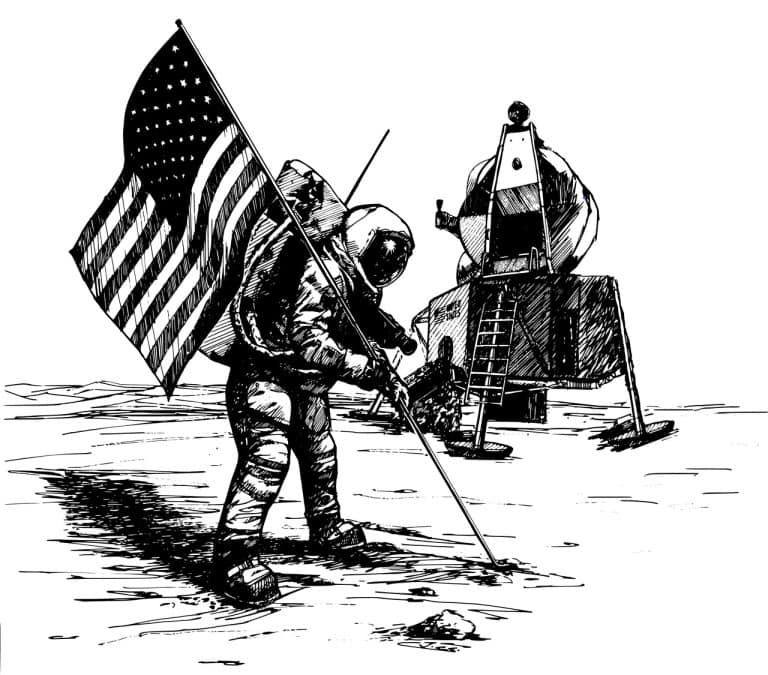
Apollo moon mission
Apollo moon mission

Why Vision Matters

Every project starts with a purpose, but not every project has a vision. A vision statement is more than a sentence on a project charter — it’s the north star that aligns the team, stakeholders, and sponsors around what success truly looks like. Without one, projects risk becoming a collection of tasks rather than a mission that inspires and unites.

A strong vision statement answers three essential questions:
• What are we trying to achieve?
• Why does it matter?
• By when?

When defined well, the vision doesn’t just communicate what is to be delivered, it fuels motivation and decision-making throughout the project lifecycle. It also helps prevent scope creep: when new requests or objectives appear, the team can test them against the vision. If they don’t align, they may dilute focus rather than strengthen it.

A Classic Example: JFK’s Moonshot

A classic project vision statement came not from a corporate boardroom, but from a US President. In 1961, John F. Kennedy set out the vision for the Apollo program:

This nation should commit itself to achieving the goal, before this decade is out, of landing a man on the Moon and returning him safely to the Earth.

Why does this remain a gold standard of vision statements?
• Bold and inspiring – it captured imagination and rallied an entire nation.
• Clear and concrete – not vague aspiration, but a tangible outcome.
• Timebound – “before this decade is out” gave urgency and focus.

This single sentence aligned everyone from the humblest worker to the engineers, scientists, contractors, and leaders under one banner. Crucially, it gave decision-makers a test: does this move us closer to the goal of landing on the Moon within the decade?

That is the power of vision: it creates clarity, unity, and momentum, even when the path is uncertain.

Vision Statements vs. Project Objectives

It’s important to distinguish between vision and objectives:
Vision Statement: A big-picture expression of what success looks like, why it matters, and the impact it will have.
• Objectives: Specific, measurable steps to get there.

For example:
• Vision: “Deliver a safe, efficient rail link that transforms regional connectivity and reduces travel time between cities.”
• Objective: “Complete track installation for Phase One by Q4 2026 within the allocated budget.”

Both are essential, but the vision provides the why that energises people beyond the task list. Objectives may flex as conditions change, but the vision endures as the guiding principle.

Why Project Sponsors and Leaders Should Care

Vision statements aren’t just for the delivery team — they’re critical for leaders and sponsors. Why?

• Decision filter – When trade-offs arise, leaders can check alignment with the vision.
• Stakeholder alignment – A strong vision makes it easier to rally support across diverse groups.
• Sustained motivation – Projects often run for years; vision keeps energy alive when milestones feel far away.
• Clarity in communication – Leaders must repeatedly tell the project’s story; the vision gives them the narrative hook.
• Guardrail against scope creep – Sponsors can push back on unfocused additions by asking, “Does this serve the vision?”

How to Craft a Strong Vision Statement

When drafting your own, aim for the following qualities:
• Inspiring – motivates people at every level.
• Concise – one or two sentences, not a paragraph.
• Concrete – avoid buzzwords; be clear on the outcome.
• Timebound – where possible, include a timeframe.

When Projects Struggle Without Vision

Common signs of a missing or weak vision include:
• Team confusion about priorities.
• Decisions made in isolation, without a clear strategic anchor.
• Stakeholders pulling in different directions.
• Deliverables produced, but lacking lasting impact.

In short: projects without vision may deliver outputs, but they rarely deliver meaningful outcomes.

Takeaway

A strong vision statement is the foundation of project success. It sets direction, aligns people, and inspires action.

As JFK’s Moonshot showed, when a vision is bold, clear, and timebound, it can galvanise entire organisations — even nations — to achieve what once seemed impossible. A strong vision not only inspires — it protects. It keeps projects pointed at meaningful outcomes and shields them from distractions along the way.

Retrospectives: The Engine of Continuous Improvement

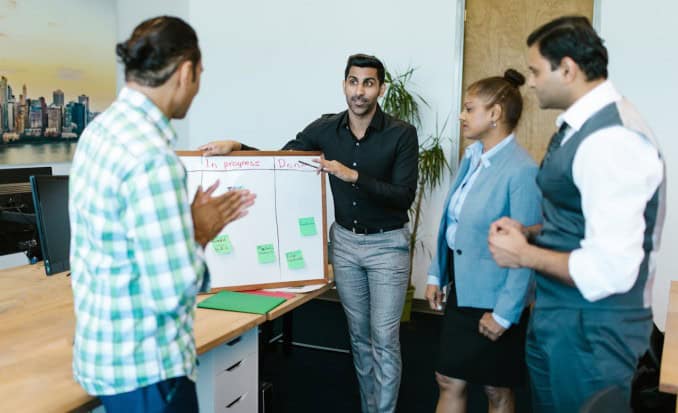
Team having a Retrospective standup in front of a Kanban board

In traditional Waterfall project management methods like PRINCE2, the “Lessons Learned” session has been the formal mechanism for capturing insights. These are usually held at stage boundaries or project closure — often too late to benefit the current project. Agile flips this model on its head. Instead of waiting until the end, teams run retrospectives at the end of every sprint. This rhythm transforms reflection from a one-off report into a continuous improvement engine.

So why do retrospectives deliver real change, when Lessons Learned often become shelfware?

Retrospectives vs. Lessons Learned

  • Timing

Retrospectives: Held frequently — usually every sprint (two to four weeks). Insights can be applied immediately.
Lessons Learned: Typically come at the end of a project stage or only at project closure. By then, the learning is too late, and team members may have already moved on.

  • Focus

Retrospectives: Practical and actionable. The team agrees on one or two concrete changes to test in the next sprint.
Lessons Learned: Often descriptive — documenting what happened rather than focusing on what to change now.

  • Follow-through

Retrospectives: By design, agreed actions flow straight into the backlog, making follow-up unavoidable.
Lessons Learned: Too often captured in a report that is archived, skimmed, or forgotten. Many organisations have libraries of “lessons” that were never implemented.

👉 The cautionary truth: Lessons Learned are only valuable if they drive behaviour. Retrospectives succeed because they embed action into the delivery rhythm.

Why Retrospectives Matter

  • Psychological safety: They provide a regular, structured forum where team members can raise issues without fear of blame.
  • Continuous feedback: Problems are spotted and addressed early, rather than waiting for a post-mortem.
  • Team ownership: Improvements are chosen by the team, not imposed from above, which drives buy-in and accountability.
  • Adaptability: They make teams more resilient by institutionalising reflection and adjustment — a critical trait in complex, uncertain projects.

Making Retrospectives Work

  • Keep them short and focused — 45–60 minutes is plenty for a two-week sprint.
  • Vary the format — don’t just repeat “what went well / what didn’t.” Use creative prompts such as:
    • Start / Stop / Continue (simple, clear actions).
    • Mad / Sad / Glad (focus on emotional drivers).
    • Sailboat (a visual metaphor):
      • Project = the sailboat heading for an island (the goal).
      • Wind in sails = forces propelling progress.
      • Anchors = what’s holding the team back.
      • Rocks = risks lurking beneath the surface.
      • Sun = positive factors such as morale or culture.
  • Keep it focused — aim for one or two concrete improvements, not a laundry list.
  • Review last time’s actions — close the loop so improvements stick.
  • Make it safe — create an environment where people can speak openly without blame. Facilitators should model openness, listen actively, and frame issues as team challenges, not personal failures.

Why Sponsors and Leaders Should Care

  • Fewer repeated mistakes: Problems are corrected mid-flight, not documented after the fact.
  • Quicker course correction: Sponsors see earlier signals of risks and blockers.
  • Greater predictability: Teams that continually improve reduce delays and firefighting.
  • Higher morale: A team that feels heard and empowered is more engaged and productive.

In short, retrospectives improve delivery outcomes and reduce escalation headaches for leadership.

When Retrospectives Don’t Add Value

  • Too infrequent — they lose impact if held rarely or only when things go wrong.
  • Unstructured — without a clear facilitator or format, they risk becoming a venting session.
  • No follow-up — if actions don’t translate into visible change, teams disengage quickly.

Retrospectives as Modern Lessons Learned

For organisations steeped in PRINCE2, the retrospective can be seen as an evolution of Lessons Learned: same intent (capture and apply insight), but with a faster rhythm, tighter feedback loop, and stronger emphasis on implementation.

Where Lessons Learned risk becoming static documents, retrospectives are dynamic and cumulative — each one builds on the last, creating a living culture of continuous improvement.

Takeaway

Retrospectives aren’t just a “nice to have.” They’re a discipline that ensures every sprint contributes not only to the product, but to the team itself. While traditional Lessons Learned remind us to reflect, retrospectives remind us to act.

For project managers moving between Waterfall and Agile contexts, the principle is the same: learning without implementation is wasted. Retrospectives make sure the learning sticks.

The Highlight Report: Does It Still Work?

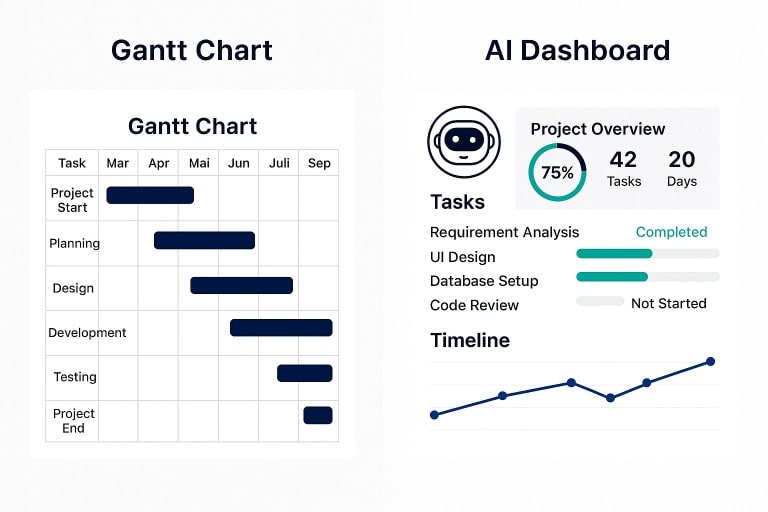
Traditional highlight report compared with a modern project dashboard.

The Highlight Report has been a staple of project management for decades: a one-page summary of the week with a RAG view of schedule and budget, key risks and issues, and space to flag concerns for stakeholders. Simple, visual, reassuring. But in an age of live dashboards, agile ceremonies and AI copilots, is the Highlight Report still the best way to keep people informed — or an artefact past its prime?

Where a Highlight Report still earns its keep

  • Crispness. Turning a sprawling project into one page forces clarity: what moved, what slipped, what’s blocked — and why.
  • Consistency. Senior leaders value a standard format across projects. Comparable RAGs and familiar headings help them spot patterns and escalate quickly.
  • Formality. The act of writing a weekly highlight creates a pause for reflection. It nudges the team to step back from the noise and ask, “What really matters this week?”
  • Accountability. A dated record of status, decisions, risks and actions removes ambiguity about who knew what, and when.

Where it creaks

  • Lagging, not leading. By the time a report is drafted, reviewed and circulated, the picture may have moved on.
  • One-way traffic. Traditional highlights broadcast status rather than invite decisions.
  • Duplication. If delivery already lives in Jira, Azure Boards, Trello and a portfolio dashboard, a separate highlight can feel like a second job that adds little.
  • RAG theatre. Red/amber/green can oversimplify, hiding risk until too late.

Highlight Report vs Dashboards, Agile ceremonies and AI

  • Dashboards. Always-on visibility straight from delivery tools sounds ideal — but raw dashboards often overwhelm. They still need interpretation.
  • Agile ceremonies. Sprint reviews and demos show real progress — but they don’t replace a portable executive summary. They still need synthesis.
  • AI copilots. Drafts from tasks, commits and threads help — but still need judgement.
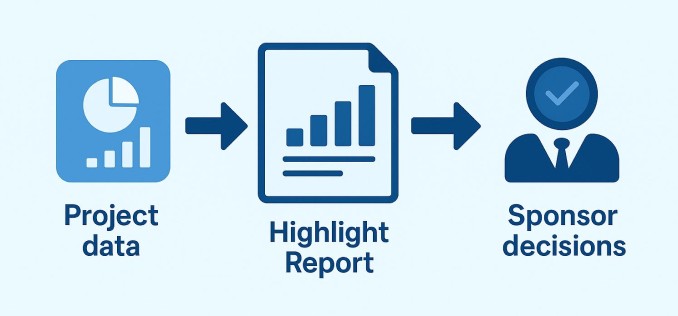
How a highlight report distils project data into clear sponsor decisions.
Turning project data into decisions

The middle ground that works today

  • Make it decisional. Shift from weekly history to an executive decision log.
  • Embed live data. Link to dashboards; keep report text light and interpretive.
  • Keep it to one screen. Use links for detail.
  • Standard headings, human voice. A consistent structure with a natural tone.
  • Timebox the work. Cap prep at ~30 minutes.

A modern Highlight Report template (steal this)

  • This week at a glance — two sentences max.
  • Decisions & asks — bullets with owners and dates.
  • What changed — scope, dates, spend; only the deltas.
  • Risks & mitigations — top three; clear trigger, impact, owner.
  • Next week’s focus — what we’ll actually do.
  • Links — dashboard, backlog, RAID log, latest demo.
  • Optional sponsor note — interpretation from PM.

When a Highlight Report is the wrong tool

  • Ultra-fast work: daily shifts make weekly highlights laggy.
  • Single stakeholder, high touch: a report may be redundant.
  • Strong portfolio reporting: consider a monthly narrative instead.

When it earns its keep (again)

  • Cross-organisation programmes.
  • High-stakes delivery.
  • Distributed stakeholders.

Practical pitfalls (and fixes)

  • Everything is ‘in progress’ → Focus on outcomes.
  • RAG drift → Define criteria and explain changes.
  • Copy-paste fatigue → Automate inputs, spend human time on interpretation.
  • No follow-through → Track last week’s decisions/actions.

So… does it still work?

  • Yes — if you treat it as a concise decision brief, not a weekly diary.
  • The modern Highlight Report is one screen, linked to live data, and explicit about what you need from leadership.
  • If your stakeholders value it, keep it and sharpen it.
  • If they already swim in dashboards, your highlight may simply be the commentary.

The Rise of the Copilot Project Manager

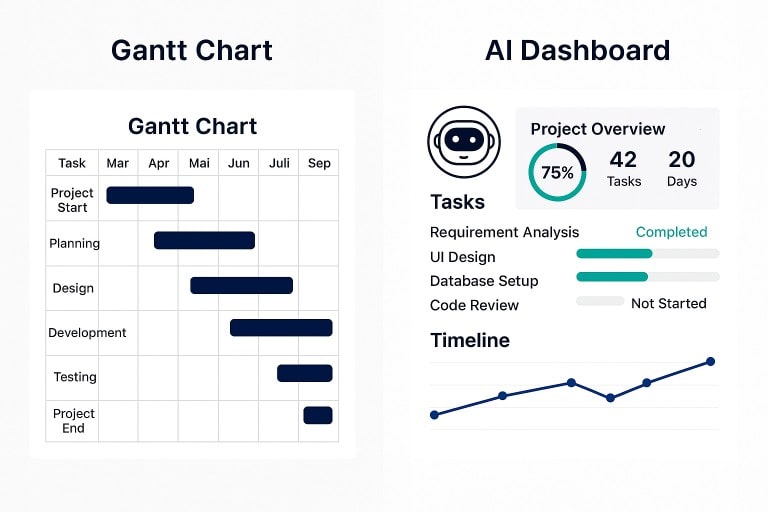
Traditional Gantt chart vs Project Dashboard

Project management has always absorbed the tools of its time — from Gantt’s hand-drawn bars to digital boards and dashboards. The latest arrival is the AI copilot: a context-aware assistant that promises to draft plans, identify risks, and prepare stakeholder updates. It won’t “run the project” for you, but it might change how you spend your time.

What an AI copilot actually is (and isn’t)

An AI copilot is embedded assistance inside your existing tools. It can summarise long threads, turn rough notes into actions, suggest task sequences, and produce reasonable first drafts of reports.

What it can’t do is take responsibility for trade-offs — scope vs time vs quality, political judgement, or the subtle negotiation that unblocks a programme. Think of it as a force-multiplier, not an autopilot.

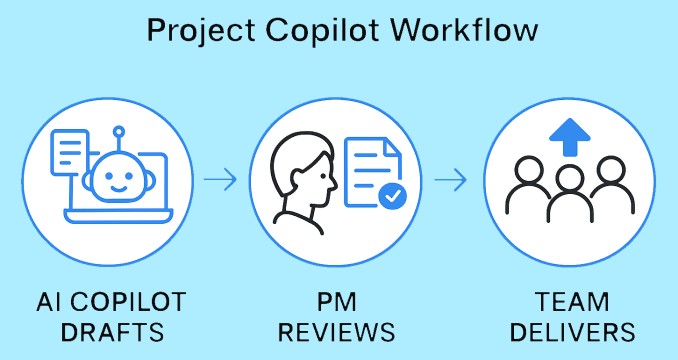
Simple AI Copilot workflow
Where it already helps
  • First drafts, faster. Plans, RAID logs, highlight reports — get a credible starting point, then edit for accuracy and tone.
  • Signal from noise. Summarise issue comments, extract decisions, pull out blockers across workstreams.
  • Status with evidence. “What changed this week?” Copilots can pull tasks, commits and discussions into an exec-ready update.
  • Risk clues. Spotting patterns (review queues, long lead-times, hand-off bottlenecks) earlier than a human scanning a dozen boards.
  • Quick “what-ifs”. Try a scenario before touching the live plan: move a test window, resequence a dependency, sanity-check a date.
Where humans stay firmly in charge
  • Prioritisation and compromise. Copilots can outline options; only people weigh the trade-offs.
  • Stakeholder alignment. Timing, tone and trust are human skills.
  • Ethics and boundaries. Knowing what not to feed an assistant matters as much as what you do.
How the PM role shifts
  • Less formatting; more judgement. Let the copilot compile and tidy; invest your time in anticipating risk and clearing paths.
  • Better meetings. Share a copilot summary beforehand and use the room for decisions, not recaps.
  • Sharper telemetry. If assistants can mine your tools, your job is to define which signals matter — and ignore the vanity metrics.
Waterfall and Agile: where copilots fit
  • In Waterfall, copilots can draft work breakdowns, propose dependencies, and help maintain baselines and status packs.
  • In Agile, they can turn backlog notes into user stories, summarise sprint outcomes, and draft release notes — while the team keeps ownership of priorities and delivery.

Either way, the project manager remains the editor-in-chief: checking accuracy, setting intent, and making the calls.

Good practice for a sensible roll-out
  1. Start in low-risk areas. Meeting notes and status updates are ideal.
  2. Name the “source of truth”. Decide which system the copilot should trust for tasks, scope and dates.
  3. Review like an editor. Check tone, accuracy and anything confidential or legally sensitive.
  4. Write prompts like briefs. Give context, audience, constraints, and desired length.
  5. Close the loop. If the assistant flags a risk or action, assign an owner and a date — don’t let it drift.
The limits to watch
  • Hallucination and over-confidence. A tidy paragraph isn’t the same as a true one.
  • Opaque reasoning. If you can’t explain why a schedule changed, you can’t defend it.
  • Tool sprawl. Another assistant is only helpful if it lives where your team already works.
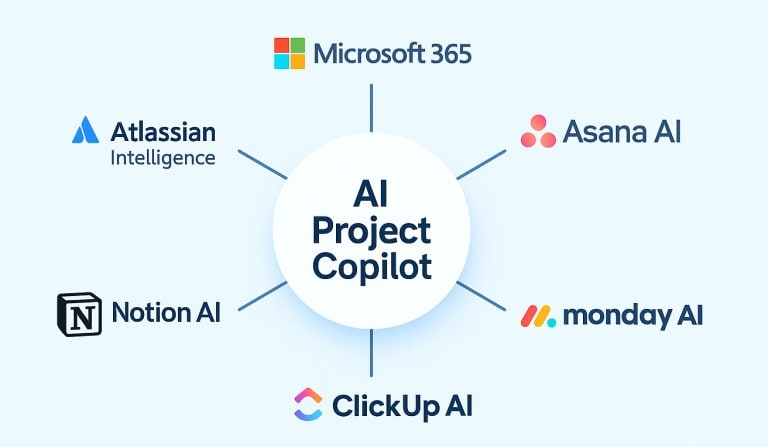
PM tools with AI copilots
A round-up of PM tools with AI copilots
  • Microsoft 365 / Planner / Project (Copilot). Drafts plans and goals, suggests tasks and buckets, and reacts to changes within the M365 stack.
  • Atlassian Intelligence (Jira/Confluence). Drafts pages, summarises issues, and speeds triage across Atlassian cloud products.
  • Asana AI. Pre-built AI workflows, templates and automations to keep projects on track and surface insights for decisions.
  • monday AI / Sidekick. AI-first features aimed at uncovering risks and accelerating execution across portfolios.
  • ClickUp AI / Brain. Summarises docs and meetings, drafts briefs and outlines, and ties into project artefacts in one workspace.
  • Notion AI. An “AI workspace” for notes, docs and lightweight projects; helpful for meeting notes, summaries and quick drafting.

Tip: pick the assistant that lives in your team’s main toolset. Integration beats novelty every time.

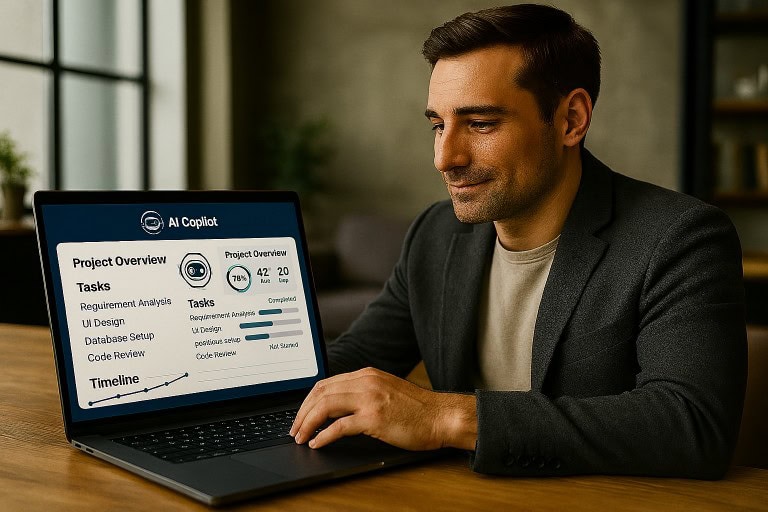
Project Manager using Microsoft M365 Copilot
Takeaway

The real value of an AI copilot is focus. It keeps the noise down and the essentials visible — the decisions, risks and dependencies that matter. With the admin handled, the project manager can spend more time leading people and less time wrestling with tools.